How to create an email address in Cloudflare and forward it
Last updated: November 5, 2026
Want an address like [email protected]? Cloudflare can make one for free and send everything to the inbox you already check, like Gmail. It takes a few minutes.
Before you start
- Your website address (your domain) is already in your Cloudflare account.
- Email Routing is already turned on for it. If you're not sure, message me and I'll check.
The steps
-
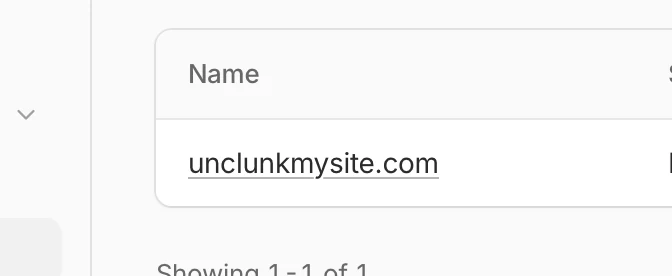
Open your domain
Log in to Cloudflare. Click your website address in the list.
-
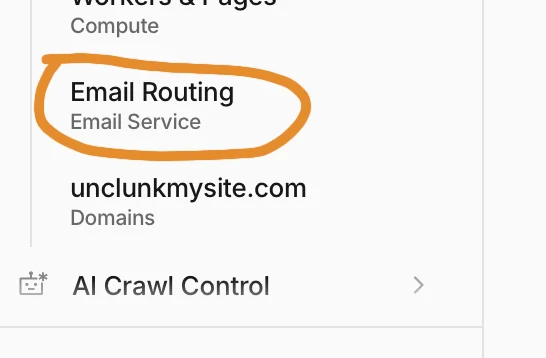
Click Email Routing
Find Email Routing in the menu on the left and click it.
-
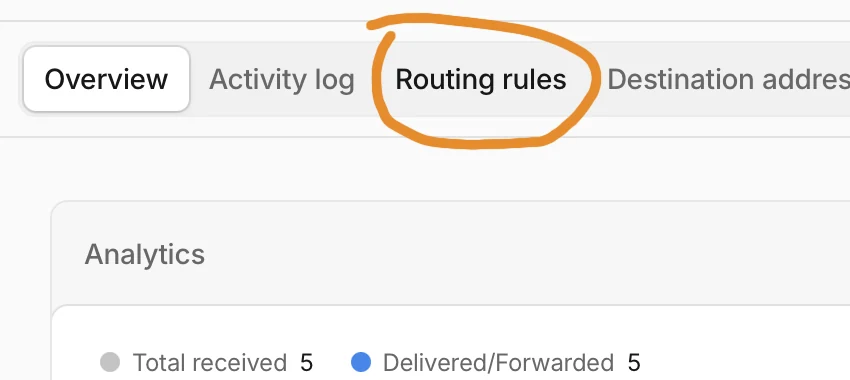
Go to Routing rules
At the top, click the Routing rules tab.
-
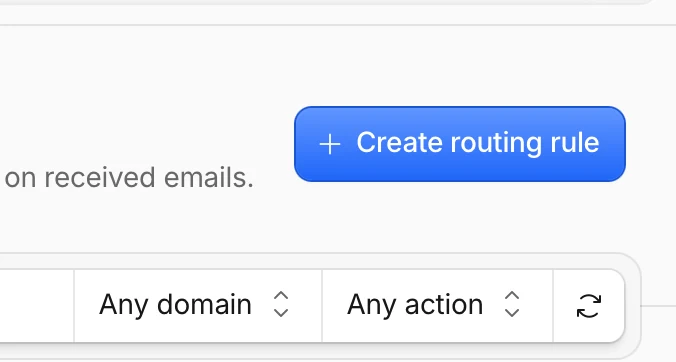
Click Create routing rule
It's the blue button on the right.
-
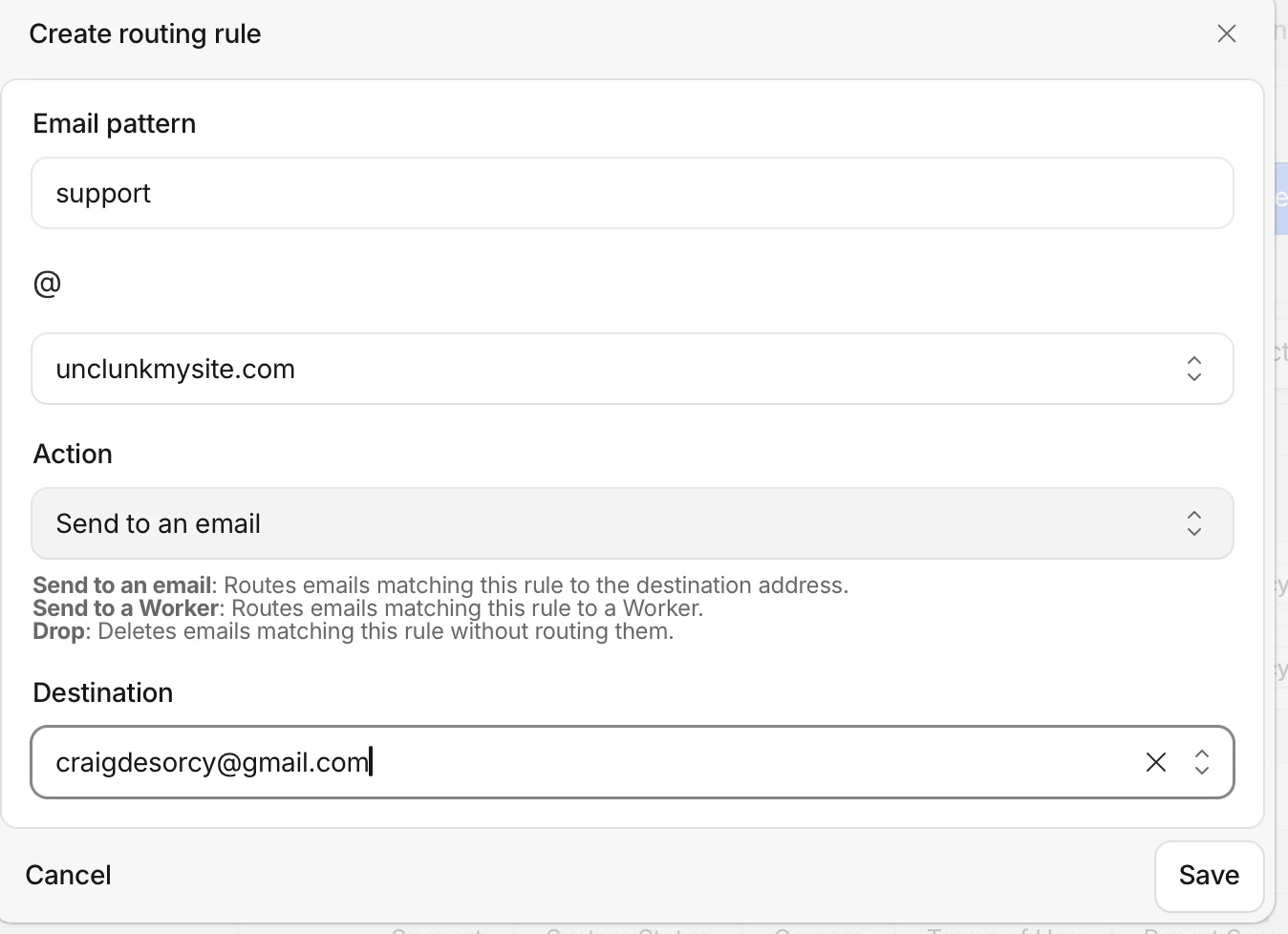
Fill in the form and save
- Email pattern: type the first part of your new address, the bit before the @. For example, support or hello.
- @: pick your website address.
- Action: leave it on Send to an email.
- Destination: the inbox you want the mail to go to, like your Gmail.
Click Save.
-
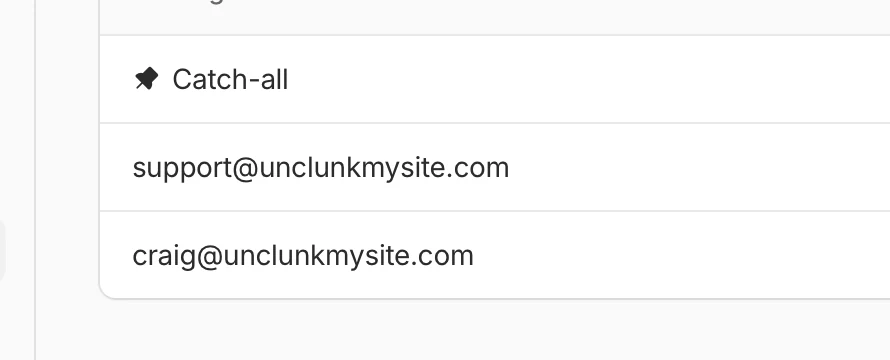
Check it's there
Your new address now shows in the list. That's it. Mail sent to it will land in your inbox.
Sending to a new inbox?
If you send mail to an inbox you haven't used here before, Cloudflare emails that inbox a link first. Open that email and click the link. Until you do, nothing gets through.
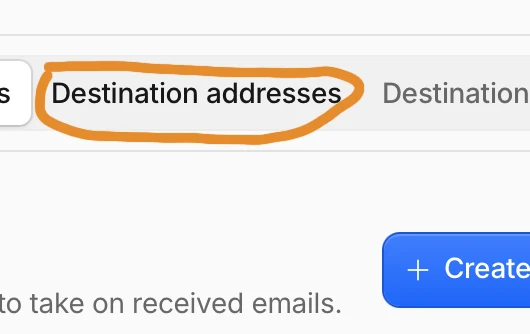
To check, click the Destination addresses tab.
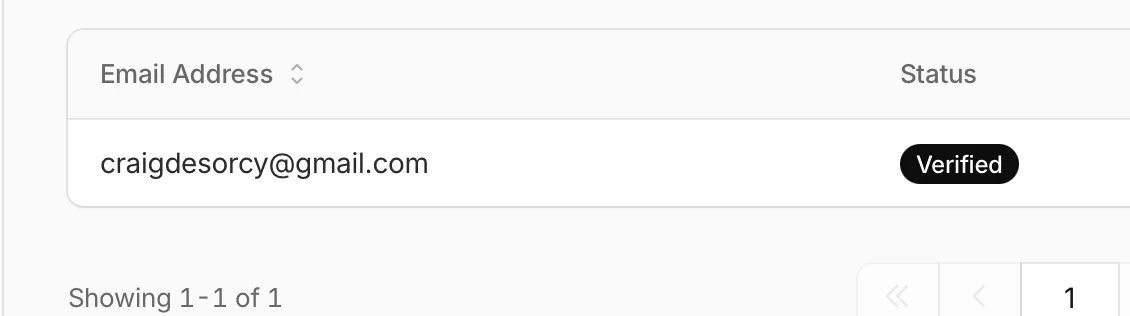
You want to see Verified next to it.
Test it
Send an email to your new address from a different account, like your phone. It should show up in your inbox within a minute or two.
What about replying?
This setup is for getting mail. When someone writes to your new address, it shows up in your regular inbox. Just hit reply like normal. Your answer goes out from that regular address.
To send mail from the new address itself, you'd need an email sending service on top of this. For most small businesses, forwarding is a great place to start.
Stuck?
Send me a quick note and I’ll help you sort it out.
Prefer your own email? Write to [email protected].